Skip to content
angelica.
How it worksWhy usPricingClient loginBook a demoGet Angelica
How it worksWhy usPricingClient loginBook a demo
GUIDES

Guides to get the most out of Angelica

Eight short, practical guides to install, connect and get the most from Angelica. Pick one from the index, or keep scrolling to see them all.

Index

  1. Your first 7 days with Angelica
  2. Adding the chat to your website
  3. Connecting your WhatsApp
  4. Getting Angelica to answer your email
  5. What to do when Angelica doesn't know the answer
  6. Your alerts: what you get and what to do
  7. Your access key and your account
  8. For referrers: how to earn with your link
Your first 7 days with Angelica

For every new client.

Your first 7 days with Angelica
  1. Day 1: log in with your access key and save it in your password manager.
  2. Day 1: AI Agent → set your "Alert email" (where you want notifications) and "Booking link".
  3. Day 1–2: Knowledge Base → add 5 services with real prices + 5 FAQs (hours, address, parking, cancellations, payments).
  4. Day 2: install the chat on your website (guide 2) and message it yourself with three questions in English and three in Spanish.
  5. Day 3: connect WhatsApp (guide 3) and/or email (guide 4).
  6. Day 4–7: open your dashboard once a day; read "Questions Angelica couldn't answer" and turn them into FAQs.
  7. Day 7: check Analytics — if you've already passed 50% of your reply allowance, consider the next plan.
Adding the chat to your website

For the client, or whoever builds their site.

Adding the chat to your website
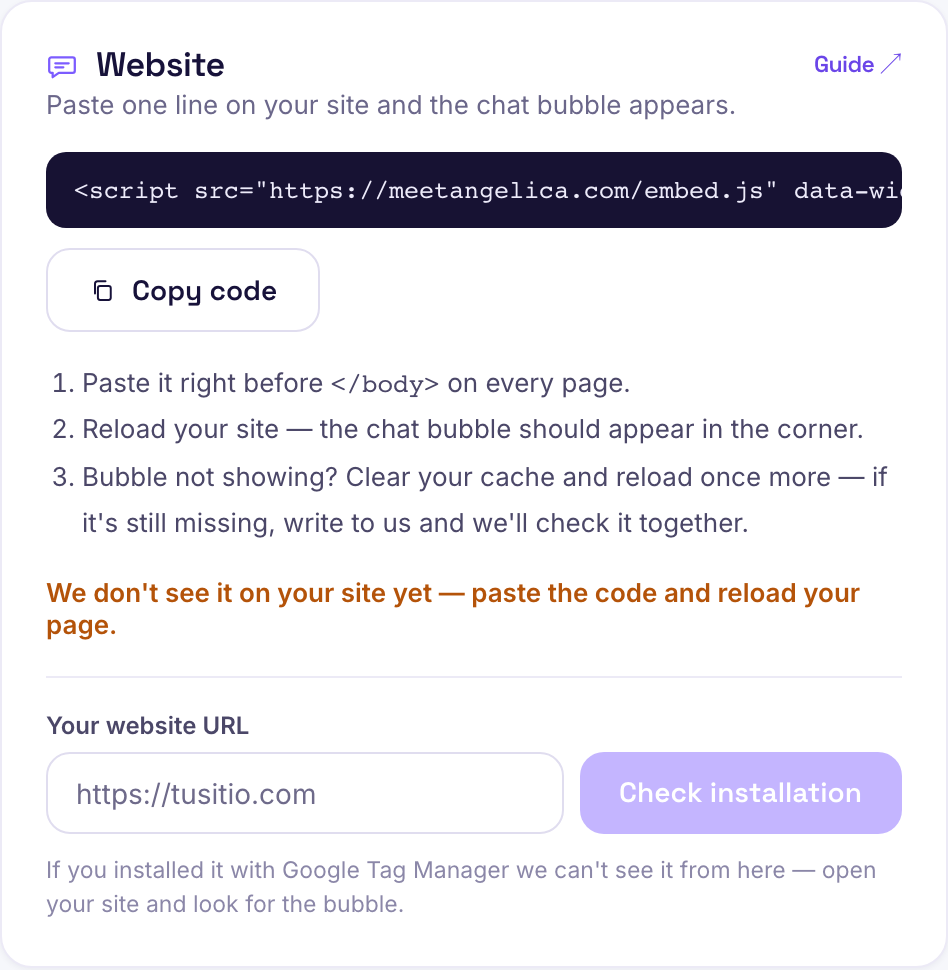
  1. Copy your code snippet from Install → Website (one button).
  2. Pick your platform: WordPress (WPCode → Footer), Wix (Custom Code → Body end), Squarespace (Code Injection → Footer), Shopify (theme.liquid before </body>), Webflow (Custom Code → Footer), GoDaddy (HTML section).
  3. Paste the snippet right before </body> and publish.
  4. Open your site on your phone: the bubble should show at the bottom right.
  5. Ask it "how much does X cost?" and confirm it answers with YOUR price.
  6. If it doesn't show up: check the snippet is on every page, there aren't two copies, and the site is https.
Connecting your WhatsApp

For clients on the Growth or Elite plan.

Connecting your WhatsApp
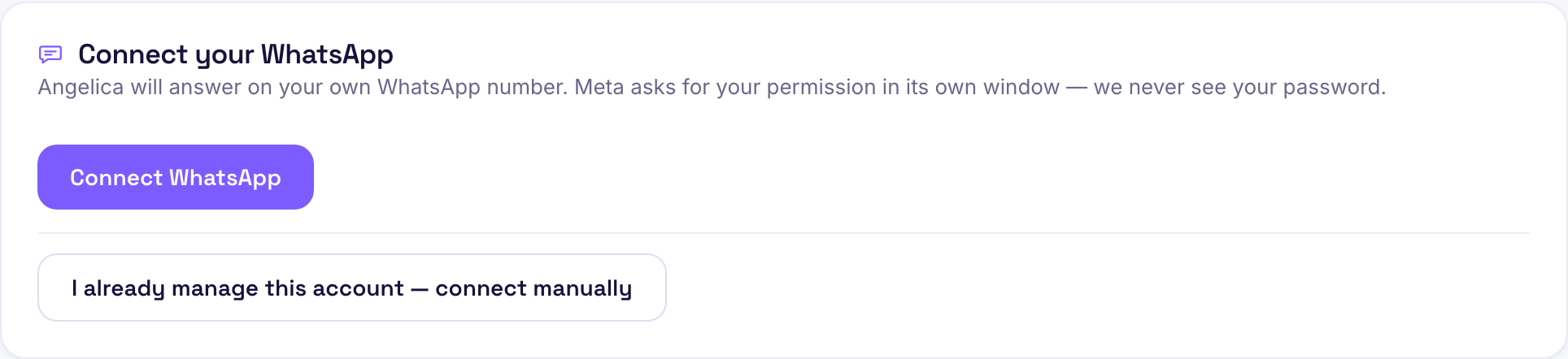
  1. Before you start: have a number that is NOT on your personal WhatsApp or the WhatsApp Business app, and access to your Meta Business account.
  2. Dashboard → WhatsApp → "Connect WhatsApp." Meta's window opens.
  3. Log in, choose or create your business portfolio, enter the public name, add the number, and verify with the code.
  4. Back in the dashboard it should say "connected." If it says "incoming messages not active," try again.
  5. Message it from another phone: it should reply in under a minute.
  6. Publish the number on your website, Instagram, and Google Business.
  7. Templates: only needed if you want to message someone first — Angelica replies fine without them.
Getting Angelica to answer your email

For clients with an info@ / hola@ inbox.

1↻A5
  1. Copy Angelica's private address (Install → Email).
  2. Gmail: Settings → Forwarding and POP/IMAP → Add a forwarding address → paste it. Outlook: Settings → Mail → Forwarding.
  3. Your provider sends a confirmation code — we forward it to your inbox within minutes. Enter it where asked.
  4. Choose "Forward and keep a copy" so you keep seeing everything in your inbox.
  5. Test it: email yourself from another account asking about a price. Angelica replies within a minute as "Your Business."
  6. What she deliberately does NOT answer: newsletters, invoices, auto-replies, your own emails.
What to do when Angelica doesn't know the answer

For every client.

What to do when Angelica doesn't know the answer
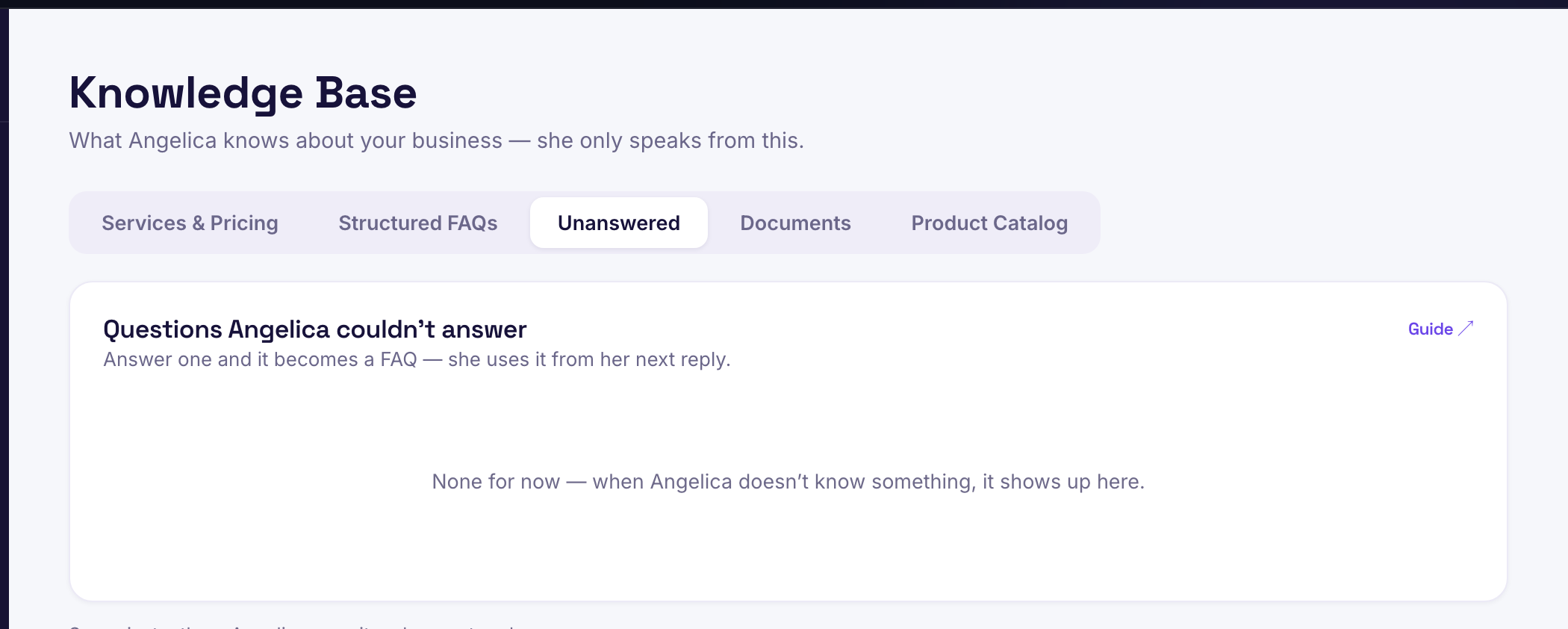
  1. Angelica only speaks from what you've given her. If she doesn't know, she says "the team will confirm" and notes the question.
  2. Open Knowledge Base → "Unanswered."
  3. For each one, click "Answer": it becomes a FAQ. From the very next message, she uses it.
  4. If it's a price: add it in Services, not in a document.
  5. If it's a topic you don't want her touching: write it in AI Agent → Custom instructions ("if asked about X, ask for their phone number and say I'll call").
  6. If she answered WRONG: delete the document or service it came from and let us know with the conversation link.
Your alerts: what you get and what to do

For every client.

Your alerts: what you get and what to do
  1. "🔥 X is ready to buy": call or message within the hour.
  2. "Quote for X" (Growth): if it says "REVIEW," confirm the assumption with the customer before you produce it.
  3. "You're at 80% of your monthly messages": check your plan — upgrade if more than 7 days remain before the reset.
  4. "Angelica hit her limit": upgrade from Settings → Subscription, or wait for day 1.
  5. If nothing arrives in 7 days with the chat installed: check the email in AI Agent → Alert email, and your spam folder.
Your access key and your account

For every client.

Your access key and your account
  1. Your key is your password: never share it over WhatsApp — keep it in a password manager.
  2. Lost it: "Lost your access key?" → your registered email → arrives in minutes.
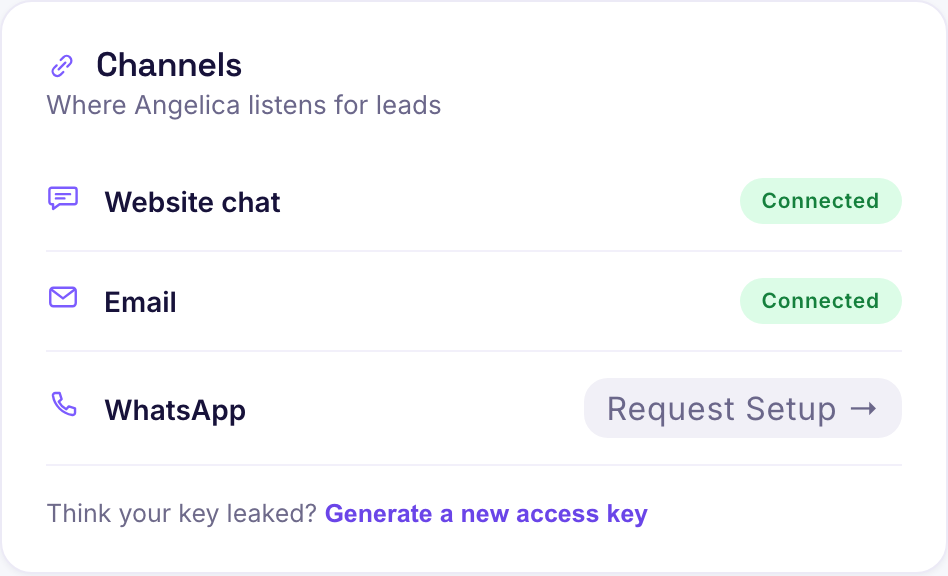
  3. Think it leaked: Settings → "Generate a new access key" (the old one dies instantly).
  4. Changing plans, cancelling, or requesting your data: Settings → Subscription. To export or delete your data, email hello@meetangelica.com with your business name.
For referrers: how to earn with your link

For approved referrers.

?ref=12$4
  1. Your link is meetangelica.com/?ref=YOURCODE.
  2. The business has to sign up from your link or enter your code.
  3. You'll see "signed up" when they register and "closed" when they pay; the bonus is calculated from their plan.
  4. We pay you through your registered method as soon as the business pays its first month; we message you to confirm.
angelica.

The bilingual AI concierge that answers every lead in about 60 seconds, day and night.

Bilingual EN / ES

Product

How it worksWhy usPricingHow setup worksSecurity

Learn

All guidesGuía en español

Company

ContactReferral programClient login

Legal

TermsPrivacyClient guides
© 2026 Angelica AI · Meet Angelica S.A.S. · by Susana LópezGet Angelica